
The biggest question we get here is "why can't we just use an overlay widget?". The simple answer: they don't solve the problem and can often put a larger target on your back. Don't believe me? See below…
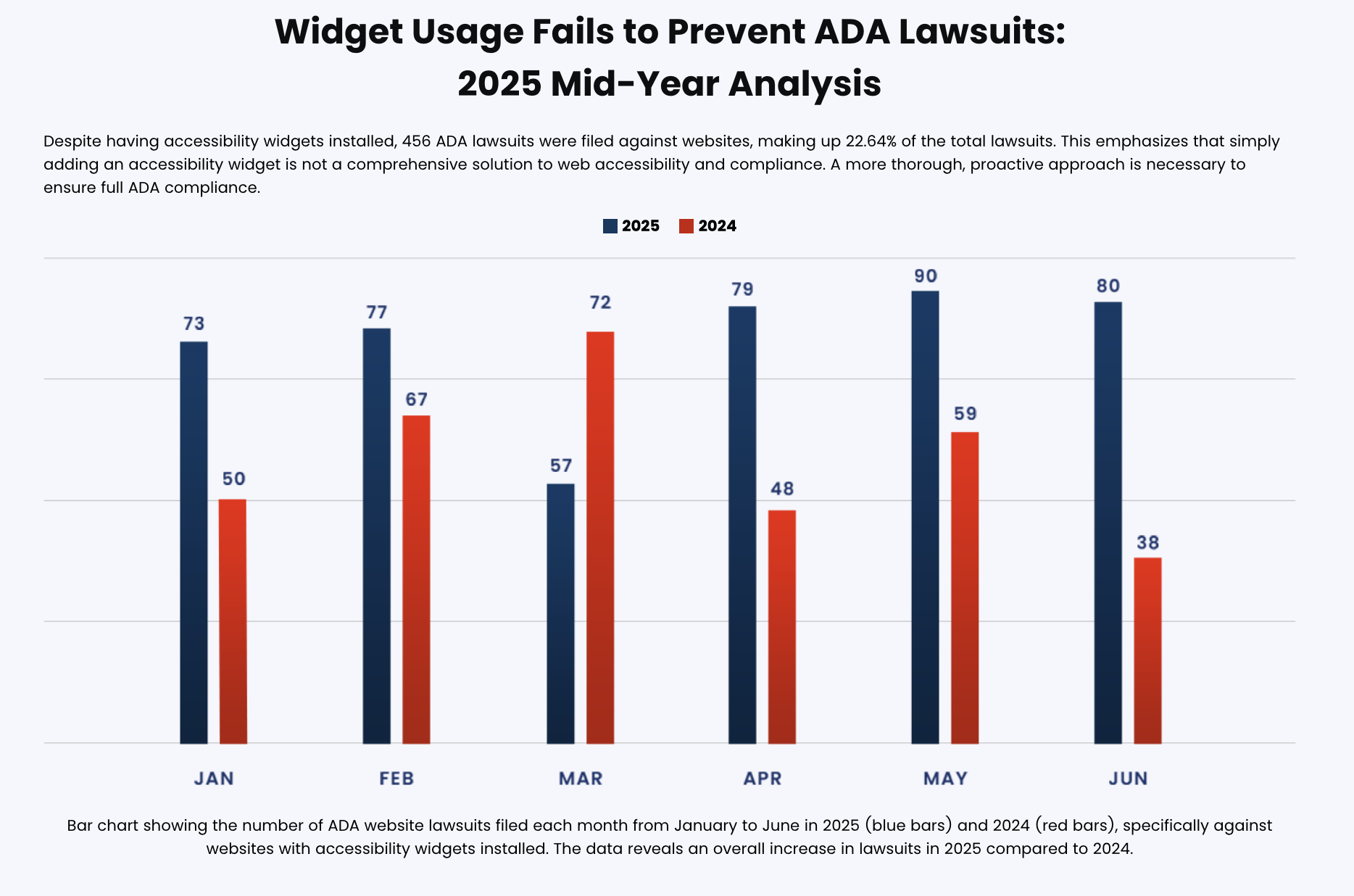
What Overlay Widgets Claim vs. Reality
Most overlay widgets claim they can instantly make your site ADA compliant, protect you from lawsuits, and "fix" accessibility with a single line of code. In reality, widgets just sit on top of your website, never addressing the root issues.
Many brands will still use overlay widgets because it's cheaper and easy to set up. But like most things in life, you get what you pay for. Because screen readers interact with your original HTML, not the widget UI, missing labels, broken navigation, improper headings and other core issues will remain.
Unfortunately there is no such thing as instant accessibility. It takes time and effort to ensure your website has proper semantic HTML, correct ARIA labels, keyboard-friendly navigation, etc.
How Screen Readers Really Work
A good thing to understand to fully grasp the situation is how a screen reader really works. As you may assume, screen readers don't see your site like a human does. Rather they:
- Rely on headings, labels, and landmarks
- Navigate by keyboard, not mouse
- Ignore visual overlays that don't change the underlying code
A good at-home test is to turn your screen reader on, put on a blindfold and try to order something. You'll immediately understand how hard it is to shop on your store!
If you take anything from this article, remember: overlays often make sites harder to use for the people they're supposed to support!